
What AI in sales means
AI in sales is software that handles the admin around your calls. It researches a prospect, writes up the meeting, drafts the follow-up, updates the deal and answers a new enquiry's first message. You still have the conversation, set the price and decide what to promise.
You'll meet it in two places. Most CRMs and email apps now come with some AI built in, and separate tools each do one job, like a note-taker or a chat agent. Start with what you already pay for, and add a separate tool only when one job still eats your week.
AI isn't the same thing as automation. Automation follows a fixed rule, like a reminder two days before every meeting. AI handles work with no fixed rule, like summarising a call or drafting a reply to a question you've never seen. Most tools now mix both, and you can hand the rule-based jobs to sales automation today, with no AI at all.
Where AI helps in a sales week
Think about how a rep's week actually goes. The calls and meetings take a fraction of it. The rest goes on the admin before and after them. That second part is where AI helps most today.
- Before a call, ask an assistant to summarise a company's website, recent news and the person's role, so you walk in with two good questions.
- After a call, transcription tools turn a recorded call into text and a summary with the next steps pulled out. You check it and fix it in two minutes, not fifteen.
- For first drafts of the follow-up email, the proposal outline or the reply to "can you send me some info?", AI writes version one and you make it sound like you.
- Some tools move what was said on a call into the right fields of your CRM, so the deal stage and next step are current without typing.
- With your history in one place, an assistant can list who's gone quiet, who's overdue a follow-up and which deals haven't moved in a month.
- A chat agent can answer a new enquiry, ask a couple of qualifying questions and book a time, then hand the chat to a person.
- Roleplay tools let a rep rehearse a price objection with an AI buyer before trying it on a real one, and ten minutes of AI sales coaching a week is enough to start.
Each of those takes a task a rep already does and makes it shorter. None replaces the conversation.
Personalising a message is the same job done small. Pull one detail from your last chat into the first line, like the date she said mattered or the flat he wanted near a school. One true detail does more than a paragraph of flattery about the buyer's company.
Types of AI in sales, and the job each one does
Lists of AI types don't agree. IBM names conversational AI, computer vision and predictive analytics, and gives generative AI a section of its own. Gartner gives agentic AI its own heading, for software that plans and takes action instead of only answering. Here's what each of the five does in a rep's week:
| Type | What it does | Where you meet it | What it needs from you |
|---|---|---|---|
| Predictive | Guesses what comes next from past records | Lead scores, stuck-deal flags, forecasts | Calls and closed deals, logged |
| Generative | Writes text | Follow-up drafts, call summaries | Your notes, and a person reading each draft |
| Conversational | Talks with people by chat or voice | First replies to enquiries, booking a time | Answers to common questions, a hand-over rule |
| Agentic | Plans and takes several steps in a row | Checks a record, drafts a message, adds a task | Limits on what it does without asking |
| Computer vision | Reads images and video | Scanning a business card or a form | Little; few small teams need it |
Most tools mix two or three of these. A note-taker is generative. A chat agent is conversational, often with agentic steps on top, like booking the meeting. When you compare tools, ask which job each one does and what it needs from you. The label on the box tells you little.
One rep's week, before and after
Made-up example: a rep books 12 meetings a week. Before each one she spends 20 minutes researching, and after each one 15 minutes on notes, records and the follow-up email. That's 7 hours of admin around 12 meetings.
She starts using a transcription tool for notes and an assistant for research and first drafts. Research drops to 10 minutes a meeting, because she reads a summary and checks two things. Notes and the follow-up drop to 5, because she edits a draft instead of starting from nothing.
That's 3 hours of admin instead of 7. She uses two of the 4 hours she got back for more calls. The numbers are invented; time your own week before and after, and use those.
Lead scoring and forecasting: what predictive AI needs
Predictive AI is the part vendors demo hardest: a score on every lead, a flag on the deal that's slipping, a number for the quarter. All three are guesses built from your history. A score can't know that a buyer lost her job last week or got her bonus early. It only knows what you logged.
So for a small team, the order matters:
- Log every call and meeting on the day, one line each.
- Keep five or six stages, named after what really happens, and close the deals that died.
- Give every open deal a next step with a date on it.
- After a quarter of that, a score or a forecast has something real to work from.
A team of five can forecast sales by hand with the same idea. Count the deals at each stage, multiply by how often deals at that stage closed for you last quarter, and add it up. The AI version does the same sum with more signals, and it's wrong in the same way when the records are thin.
Where AI doesn't help yet, or gets it wrong
AI is good at producing text that sounds right. That's also how it fails:
- It makes things up: an assistant asked about a company will sometimes state a fact that isn't true, in the same confident tone as the true ones. Check anything you'd repeat to a buyer.
- It flattens your voice: a follow-up that reads like everyone else's AI follow-up gets the same reply rate as everyone else's: none. Edit the draft until it sounds like something you'd say.
- It can't read the room: whether to push on price, when to stop talking and what the buyer's pause meant are still judgment calls.
- Tools that send hundreds of "personalised" emails a day make it easy to annoy a whole market at once.
- It needs clean records: an assistant that decides who to call works from the history you've logged, and with no calls logged it's guessing.
Picking an AI tool by the job
The best AI tool for sales is the one that fixes the job eating most of your week. For most reps that's call notes, follow-up drafts or keeping the CRM current. The tools come in four broad kinds:
- AI inside your CRM writes drafts and summaries beside the records you already keep. It's the cheapest start when your records are tidy, because an AI CRM works from what's already there.
- Note-takers record or transcribe a call and pull out the next steps. They help most when your problem is forgetting what a client said.
- General assistants research and write first drafts from the text you paste in. They're flexible, but your records live somewhere else, so you copy and paste.
- Chat agents answer a new enquiry, ask a couple of questions and book a time. They help when enquiries arrive while you're in a meeting or asleep.
Before you pay for any of the AI sales tools on the market, ask three things. Where does your data go? Does it work in the apps your buyers already use, like WhatsApp or email, or only in a browser tab you'll forget to open? Can you read each message first?
How to start without buying five tools
- Time your week. For five working days, note how long you spend on research, notes, follow-ups and updating records.
- Pick the one job that ate the most hours. Only one.
- Try it with the AI you already have. Most CRMs and email apps now include some, and a general assistant covers research and first drafts.
- Run it for two weeks, then time the same job again.
- Keep it if it saved time you used for selling. Drop it if you spent the time fixing its mistakes.
Then do the next job. A team that adds one tool a month and checks each one ends up with three tools that work. A team that buys five at once often ends up using none of them by the end of the quarter.
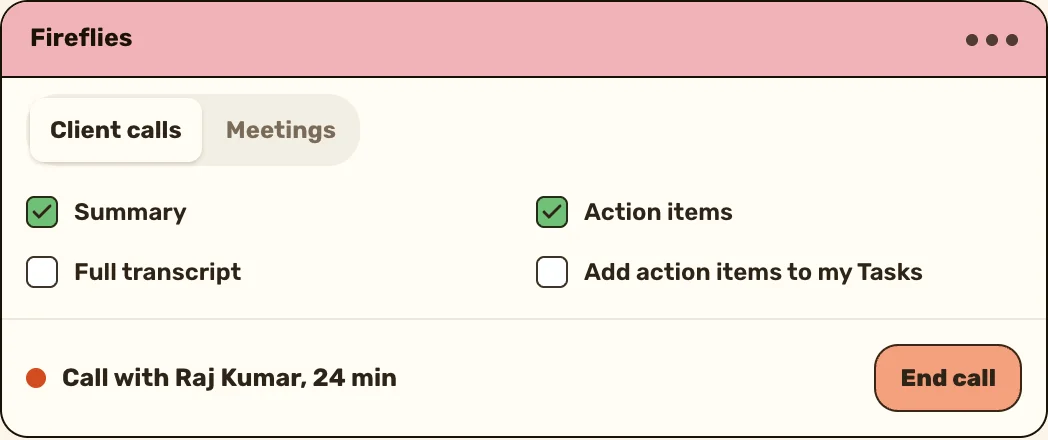
ActivityTracker's Ask AI answers from your own tasks, goals and calendar, so "who should I call today?" gets an answer from your week, and one tap turns it into tasks.
See Ask AIWill AI replace salespeople?
No. It doesn't replace the part where a buyer decides to trust you. What it takes over is the admin around each call, which most reps would happily give away. The reps who use it well get more of the week for conversations, so the job moves toward the calls, not away from them.
The role still changes at the edges. A rep who spent hours updating records spends less time on it, and a manager can see who went quiet without asking anyone. The judgment calls stay with a person: whether to push on price, when to stop talking and what a long pause meant.
Rules for using AI with client information
Before anyone on your team pastes a client's details into an AI tool:
- Read what the tool does with what you type: whether it's stored, and whether it's used to train its models. Some business plans say it isn't. OpenAI says on its enterprise privacy page that it doesn't train its models on business data by default. Use a plan like that where one exists.
- Keep out anything a client told you in confidence: health, money, family matters and their ID numbers.
- Read every message before it goes out, because you're the one who presses send and the buyer will hold you to what it says.
- Never let a chat agent claim to be a person. When a buyer asks, it hands the chat to someone real.
- Check your own country's privacy rules and your company's own rules, and follow the stricter one.
What a sales manager should watch
If your team is trying AI, ask two questions every month, not "are they using it?":
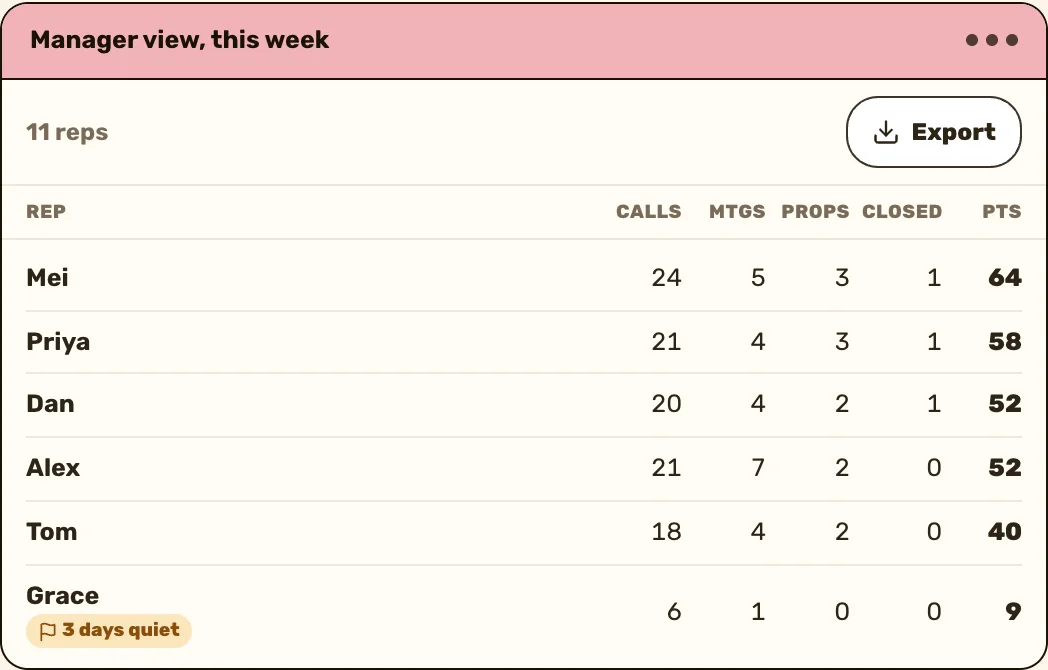
- Did calls and meetings per rep go up? Time saved on admin should show up as more selling.
- Did anything get worse? More follow-ups that read alike, or a rise in messages from annoyed buyers, means someone's sending too much too fast.
Measure it against your own team's last quarter. Vendors' ROI figures come from their own customers, who are rarely a team like yours.
Keep reading

Questions people ask
Mostly for the admin around selling. It researches prospects, writes call notes, drafts follow-ups, updates the CRM, flags who's gone quiet and answers first enquiries, while a person still has the conversation.
The one that fixes the job eating most of your week. For most reps that's call notes, follow-up drafts or CRM updates, so try one tool on that job for two weeks and time it before and after.
Five come up: predictive, generative, conversational, agentic and computer vision. Most tools mix two or three, so compare them by the job they do.
No. It takes over the typing, research and scheduling around each call. The part where a buyer decides to trust you, and the judgment on price and timing, stays with a person.
Only if you know what the tool does with it. Check whether it stores what you type or trains on it, keep out sensitive personal details, and read every message before it's sent.
Automation follows fixed rules, like sending a reminder two days before a meeting. AI handles tasks with no fixed rule, like summarising a call or drafting a reply. Most tools now mix both.
Sources
- IBM, AI for sales, read 25 October 2026
- Gartner, The role of artificial intelligence in sales, read 25 October 2026
- OpenAI, Enterprise privacy at OpenAI, read 25 October 2026