
Start with the job, not the tool
AI sales tools are software that does one selling job with AI, such as the contact list, the outreach email, the call notes, the CRM update, a practice call or the reply to a new enquiry. Most reps need one of them, for the job that eats the week: research before calls, notes after them, the CRM, or the enquiry that came in after you'd stopped for the day. For most reps the biggest of those is call notes or CRM updates, so those two sections are the place to start.
None of these tools replaces the rep. They take over research, notes, first drafts and scheduling, and the conversation where a buyer decides to trust you stays with you.
Prices change faster than a blog post, so check each one on the tool's own site.
On 25 October 2026, seven of the eight lists on Google's first page for this search put their publisher's own product first. Apollo and Clay appeared in five of them, and Gong, Outreach, ZoomInfo, Cognism and Salesloft in at least three each.
If you're still working out where AI fits in a sales week at all, read AI in sales first. It covers where AI helps and where it gets things wrong.
Which tool does which job
| The job | What the tool does for you | Named below |
|---|---|---|
| Research and contact data | Finds the right people and what to say to them | Apollo, Clay, Cognism, HubSpot, Sales Navigator, ZoomInfo |
| Writing outreach | Drafts emails and runs sequences | Instantly, Lavender, Outreach, Salesloft |
| Call notes | Records, transcribes and summarises calls | Fathom, Gong, Otter |
| CRM updates | Keeps deals and next steps current | HubSpot, Pipedrive, Salesforce |
| Roleplay practice | Lets reps rehearse with an AI buyer | Hyperbound, Second Nature, Yoodli |
| Answering enquiries | Replies, qualifies and books the meeting | ActivityTracker, Chili Piper, Fin |
| Scheduling | Finds a time and protects your calendar | Calendly, Reclaim |
Read the row for the job you picked, and skip the rest until that job is done.
Prospect research and contact data
This is the job of finding the right people and walking into the first call knowing something about them.
- Apollo says it has 240M contacts and 30M accounts, a workspace for prospecting, outreach and dialling, and a way to use it from your CRM, Gmail, ChatGPT or Claude.
- Clay describes a marketplace where one contract buys data from more than 200 data and AI vendors, intent signals for lead scoring, and agentic workflows that automate research and prep.
- Cognism sells B2B contact data with phone-verified numbers and signals such as hiring and funding news. It's built for selling in Europe, and you can pull its data into Claude or ChatGPT.
- HubSpot's data agent answers questions about any contact or company, using what's already in your HubSpot CRM, calls, emails and documents.
- LinkedIn Sales Navigator recommends leads and accounts from your activity, saved leads, mutual connections and buyer interest, and its Message Assist helps you refine an outreach message.
- ZoomInfo sells firmographic, technographic and intent data, with org charts and decision-makers, and routes each lead to the right rep.
What to watch: contact data goes stale as people change jobs. Spot-check ten records against LinkedIn before you trust a list, and check how each tool charges before you load a big one. A team that needs 50 contacts a month shouldn't pay for 5,000.
Writing outreach
This job is the first email, the follow-up and the reply to "send me some info".
- Lavender analyses your past emails to learn what works for you and your team, and uses that to power its email coach and an AI sales agent called Ora.
- Instantly has a Copilot that finds leads, writes copy and builds campaigns, an AI Reply Agent, and workflows that route and tag a lead when they visit your site, reply or book.
- Outreach runs AI agents across the whole sale, from prospecting and deals to call review, coaching and the forecast. When a signal comes in, it researches the lead and writes a message for that buyer.
- Salesloft collects signals from across your tools, ranks them, sets off agents and pushes the next step to the rep, with a person reviewing its AI forecast.
What to watch: a tool that sends hundreds of emails a day can annoy your whole market within days, so read what it writes before it goes out for at least the first month. Outreach and Salesloft both pitch themselves to revenue teams with sequences to run. A solo rep with 60 open conversations needs a better first draft more.
Call recording and notes
This is usually the quickest win, because everyone hates writing notes.
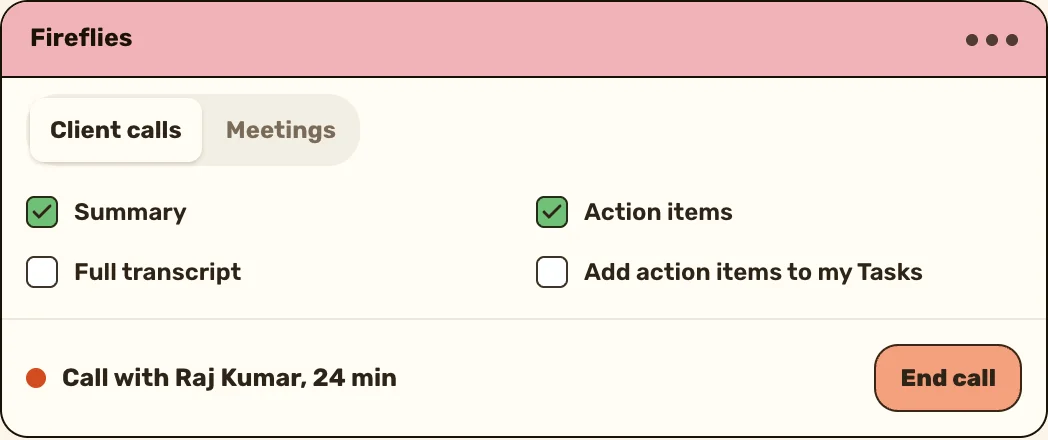
- Fathom summarises your meetings, can record without a bot joining the call, pulls out action items, and syncs notes to tools like Slack, Salesforce, HubSpot, Notion and Asana. You can also ask it questions across past conversations.
- Otter transcribes meetings live with speaker recognition, writes a summary with decisions and action items, and pushes deal details and next steps to your CRM.
- Gong captures customer interactions for a whole revenue team, and its agents handle follow-ups, pipeline edits and forecast corrections.
What to watch: tell the other person you're recording, and check your country's rules on it. Read the summary before it goes into the client's record, because a wrong next step is worse than none.
Keeping the CRM up to date
This is the admin nobody does.
- HubSpot suggests next steps after every call, and lets you approve automatic CRM updates and follow-up drafts after every meeting.
- Pipedrive's Sales Assistant summarises deals, predicts a deal's chance of winning, recommends next steps and sends activity reminders.
- Salesforce captures calls, emails, texts and calendar events into its CRM, matches each conversation to the right record, and writes a one-click summary of any account, deal or contact.
What to watch: these work inside their own CRM. If your team lives in a spreadsheet or a different CRM, they don't help until you move.
Roleplay practice
This job is rehearsing the hard conversation before a real buyer hears it.
- Hyperbound lets reps practise with realistic AI buyers, scores each call against a scorecard and explains the score, and it records and scores real calls too.
- Second Nature runs AI roleplays with avatars for discovery calls, objection handling and cold calls.
- Yoodli runs AI roleplays with certifications, and a coach that gives personalised coaching inside the tools your team already uses.
What to watch: practice only helps if it's regular. Ten minutes of roleplay practice every Monday beats a two-hour session once a quarter.
Answering enquiries on chat
This job is the enquiry that arrives while you're in a meeting or asleep. The longer it waits, the more likely they've asked someone else, which is why your lead response time is worth measuring.
- Fin by Intercom is an AI agent that answers customers across chat, email, voice, social and Slack, with a version, Fin for Sales, that handles inbound sales end to end.
- Chili Piper identifies who's on your website, qualifies a demo request, routes it to the right rep and books the meeting.
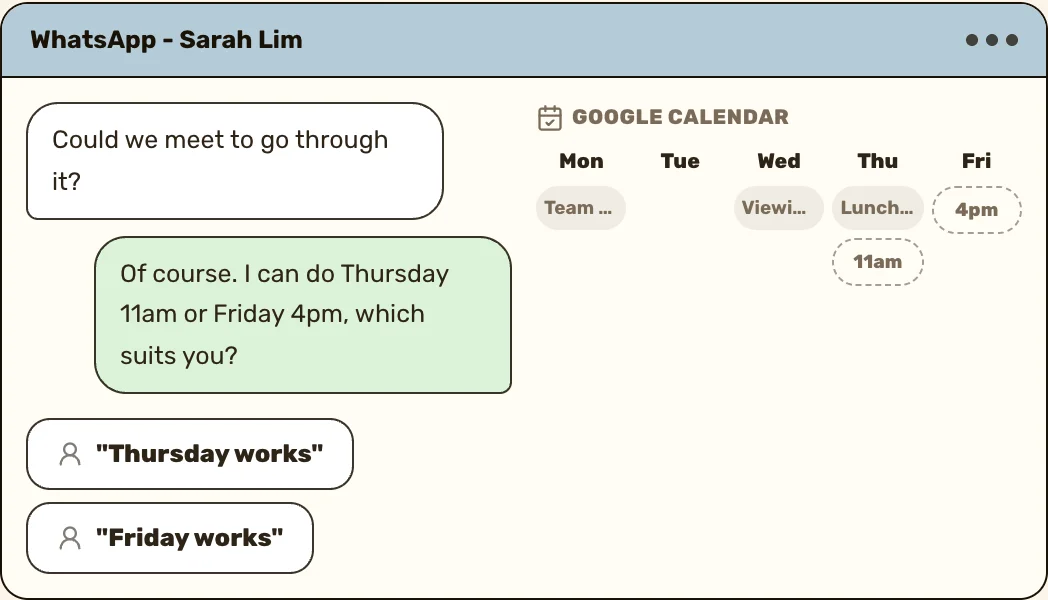
- ActivityTracker's AI agent answers new WhatsApp enquiries on your own number, in the first person, from your website, brochures and past chats. It offers your free times, books the meeting with a Google Calendar invite, and passes you the chat when it can't answer. It never chases people who never wrote back.
ActivityTracker's agent works on the number you link to it as a device, the way WhatsApp Web does. It isn't one of WhatsApp's own apps, and WhatsApp's linked devices page warns that "linking your device through unofficial apps or websites may put your account at risk." So ActivityTracker spaces out the messages your number starts on its own, and stops them if WhatsApp warns the number.
What to watch: the agent should say what it can't answer, hand over cleanly and never make up a price. Try it on yourself before a client sees it.
If the job you picked is answering enquiries after hours, ActivityTracker's AI agent answers new WhatsApp enquiries in your words, books the meeting and passes you the chat when a person should take it.
See the WhatsApp AI agentScheduling and planning your day
This job is the back-and-forth over times, and protecting the hours you meant to spend selling.
- Calendly does booking links, and its AI assistant Callie, still in beta, finds a time when you add it to an email thread.
- Reclaim protects focus time on your calendar, schedules your tasks and habits around meetings, and plans your day.
What to watch: a booking link helps the buyer. A calendar that blocks an hour for calls helps you. Most reps need the second one more.
General AI assistants
You don't always need a sales tool. A general AI chat assistant writes from the text you give it: a research summary, a first draft of the follow-up, a tidy version of your notes. For a solo seller, one subscription covers research and first drafts.
The catch is that, unless you connect it to your other tools, it only knows what you paste in, so every answer starts from scratch. Pick a business plan before any client details go in. OpenAI says on its enterprise privacy page that it doesn't train its models on business data by default.
What to check before you buy an AI sales tool
Run every tool on this list through the same six checks.
- The job it does. Say it in one sentence, like "writes my call notes". If you can't, you're buying a demo, and you'll stop opening it in a month.
- Where it gets its data. A tool that researches from the open web can be wrong in a confident voice. One that works from your own records is only as good as what you've logged.
- Whether it writes into what you already use. Notes that stay inside the note-taker mean you copy them across by hand, which is the job you were trying to get rid of.
- What it does with client data. Read whether it stores what you type or record, and whether it trains its models on it. Keep out anything a client told you in confidence.
- Who reviews its output. Name the person who reads the email, the summary or the chat reply before a client sees it. "Nobody" is an answer, and usually the wrong one.
- A two-week trial, timed, with the full bill in view. Time the job for a week without the tool, then for two weeks with it. Before the trial ends, work out a year's cost for the whole team: per seat, per credit or per contact, plus the plan the AI features sit on.
When two tools do the same job, run the same trial on each, one after the other. Keep the one that saved more time once you'd fixed its mistakes.
Are AI sales tools worth it?
They're worth it when the time saved shows up as more selling, and a two-week trial tells you which way it went:
Made-up example: a team of six reps tries a note-taker. In the week before the trial, each rep times their notes and CRM updates after every call. It averages 14 minutes a call, across 15 calls a week each.
For two weeks they use the tool. Each rep still reads and fixes every summary. That's 5 minutes a call, fixing included.
That's 9 minutes back per call, or a little over 2 hours per rep each week. The manager then checks whether calls per rep went up in those weeks. It did, by three calls each, so they keep it. The numbers are invented. Use your own.
If the time saved went into fixing mistakes, or didn't show up as more calls, drop the tool and try the next job on your list. A small team that trials one tool at a time, and keeps it only when calls go up, spends less than one that buys five at once and never checks. Some jobs need no AI at all: reminders and hand-offs run on plain sales automation rules.
Keep reading

- AI sales automation
- Sales KPI
- Meeting notes app
- AI tools for consultants


Questions people ask
The best one is the tool that does the job eating most of your week. For most reps that's call notes or CRM updates, so start there and time the result.
Apollo and Clay appeared in five of the eight lists on Google's first page for this search, and Gong, Outreach, ZoomInfo, Cognism and Salesloft in at least three. Seven of those lists put the publisher's own product first, so judge each tool by the job it does.
Yes, if you pick one job and measure it. A small team that trials one tool for two weeks and keeps it only if calls went up will spend less than one that buys five at once.
No. They take over research, notes, first drafts and scheduling. The conversation where someone decides to trust you is still yours.
Only once you've read what the tool stores and whether it trains on it. Use a business plan that says it doesn't, and keep sensitive personal details out.
Trial both on the same job for two weeks each and time it. Keep the one that saved more time after you'd fixed its mistakes.
Sources
- Apollo, homepage, read 25 October 2026
- Clay, homepage, read 25 October 2026
- Cognism, homepage, read 25 October 2026
- HubSpot, AI agents, read 25 October 2026
- LinkedIn, Sales Navigator, read 25 October 2026
- ZoomInfo, homepage, read 25 October 2026
- Lavender, homepage, read 25 October 2026
- Instantly, homepage, read 25 October 2026
- Outreach, homepage, read 25 October 2026
- Salesloft, homepage, read 25 October 2026
- Fathom, homepage, read 25 October 2026
- Otter, homepage, read 25 October 2026
- Gong, homepage, read 25 October 2026
- Pipedrive, AI Sales Assistant, read 25 October 2026
- Salesforce, Sales AI, read 25 October 2026
- Hyperbound, homepage, read 25 October 2026
- Second Nature, homepage, read 25 October 2026
- Yoodli, homepage, read 25 October 2026
- Fin by Intercom, homepage, read 25 October 2026
- Chili Piper, homepage, read 25 October 2026
- Calendly, homepage, read 25 October 2026
- Reclaim, homepage, read 25 October 2026
- OpenAI, Enterprise privacy at OpenAI, read 25 October 2026
- WhatsApp Help Center, About linked devices, read 25 October 2026